Are you ready for new upgrade of your certificate ?
The exam of the NCP-DB Certificate for ALL for free , AS normal in many certificates NUTANIX offer FREE SEAT for Experts to book the exam , so don’t miss to be one of them
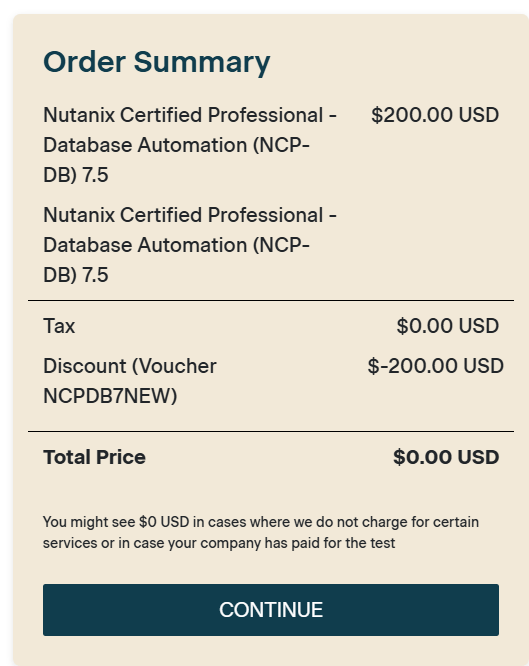
For a limited time, you can take the NCP-DB 7.5 exam at no cost by using voucher code NCPDB7NEW when scheduling your exam. Don’t wait, this offer is available only to the first 500 candidates.
The NCP-DB 7.5 exam is now open for scheduling, with appointments starting September 1, 2026. You can take the exam remotely or in-person at a PSI testing center.
you can get the VALID 100% EXAM DUMP from : HERE to get your certificate easily
What You’ll Be Tested On
The NCP-DB 7.5 exam reflects real-world database automation and administration tasks across four domains. You’ll encounter scenarios that span deployment, monitoring, operations, maintenance, and administration of NDB environments, including:
Deploying and Configuring NDB Solutions: deploy and configure NDB appliances, establish network connectivity, configure core services such as DNS, NTP, SSL certificates, and SMTP, and implement high availability, service resiliency, and multi-cluster deployments.
Monitoring Alerts and Storage Usage: monitor and resolve alerts, manage alert policies and retention settings, evaluate storage utilization, monitor snapshots and clones, assess storage efficiency, and leverage Time Machine dashboards to track database protection and storage consumption.
Operating and Maintaining Database Environments: register database server VMs and databases, provision databases across supported engines, manage patching and maintenance windows, troubleshoot operational issues, analyze alerts and logs, generate diagnostic bundles, create and refresh database clones, restore databases from snapshots or remote clusters, and manage Time Machine protection policies.
Administering NDB Environments: create and manage software, compute, network, database parameter, and Windows domain profiles; perform NDB upgrades; add and manage Nutanix clusters; configure networking; implement role-based access control (RBAC); integrate with Active Directory; and utilize NDB APIs, CLI tools, and automation capabilities.